Studio case study
Follow one repair visit.
For this self-initiated project, we gave a fictional repair service two desks. Customers choose an arrival window. A dispatcher decides who takes the job. These screens follow one afternoon plumbing booking from request to assignment.
01 / Customer
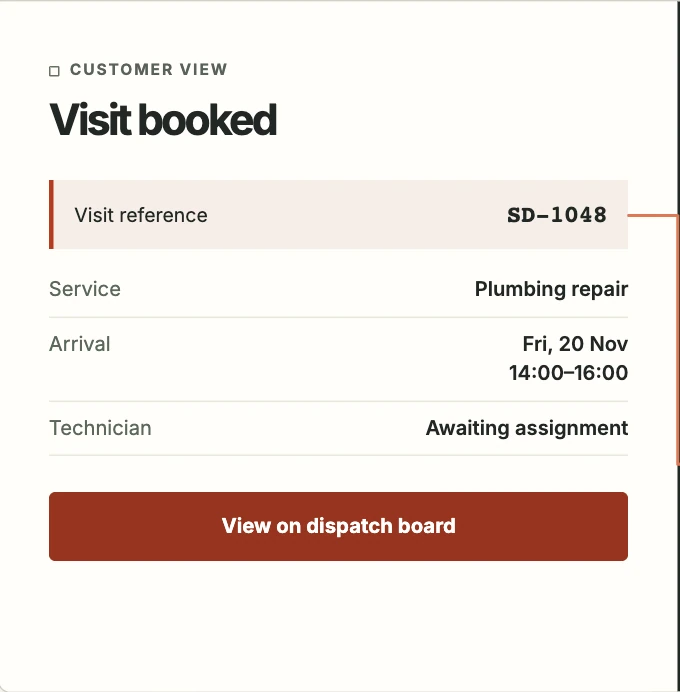
Confirm the time.
The receipt gives the customer a reference and the 14:00–16:00 window straight away. “Awaiting assignment” leaves one detail visibly open.
02 / Dispatcher
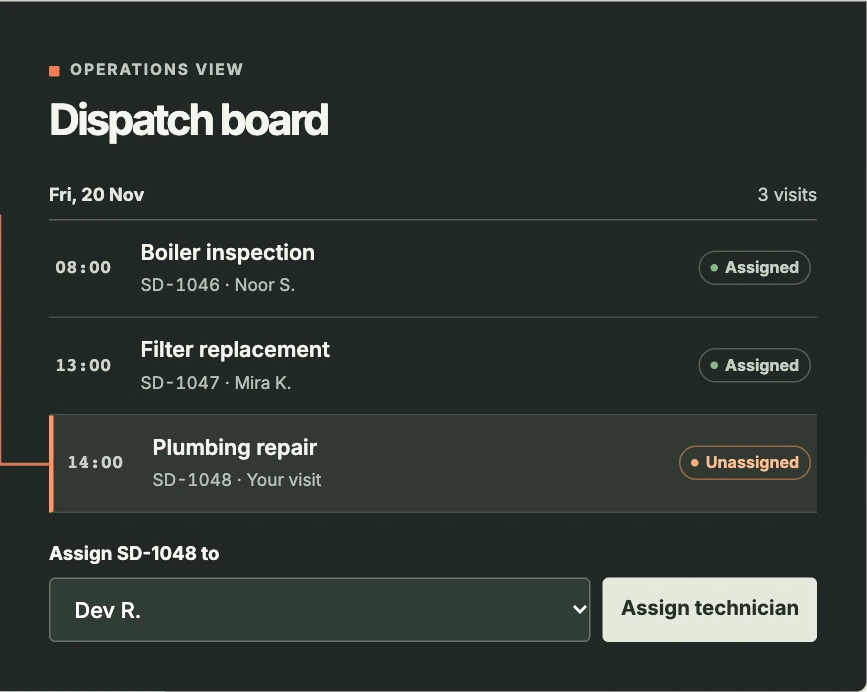
Put the visit on the board.
SD-1048 appears after the existing 13:00 visit. The board still shows “Unassigned” while Dev R. is selected in the form. Assignment takes a separate, deliberate action.
03 / Customer and dispatcher
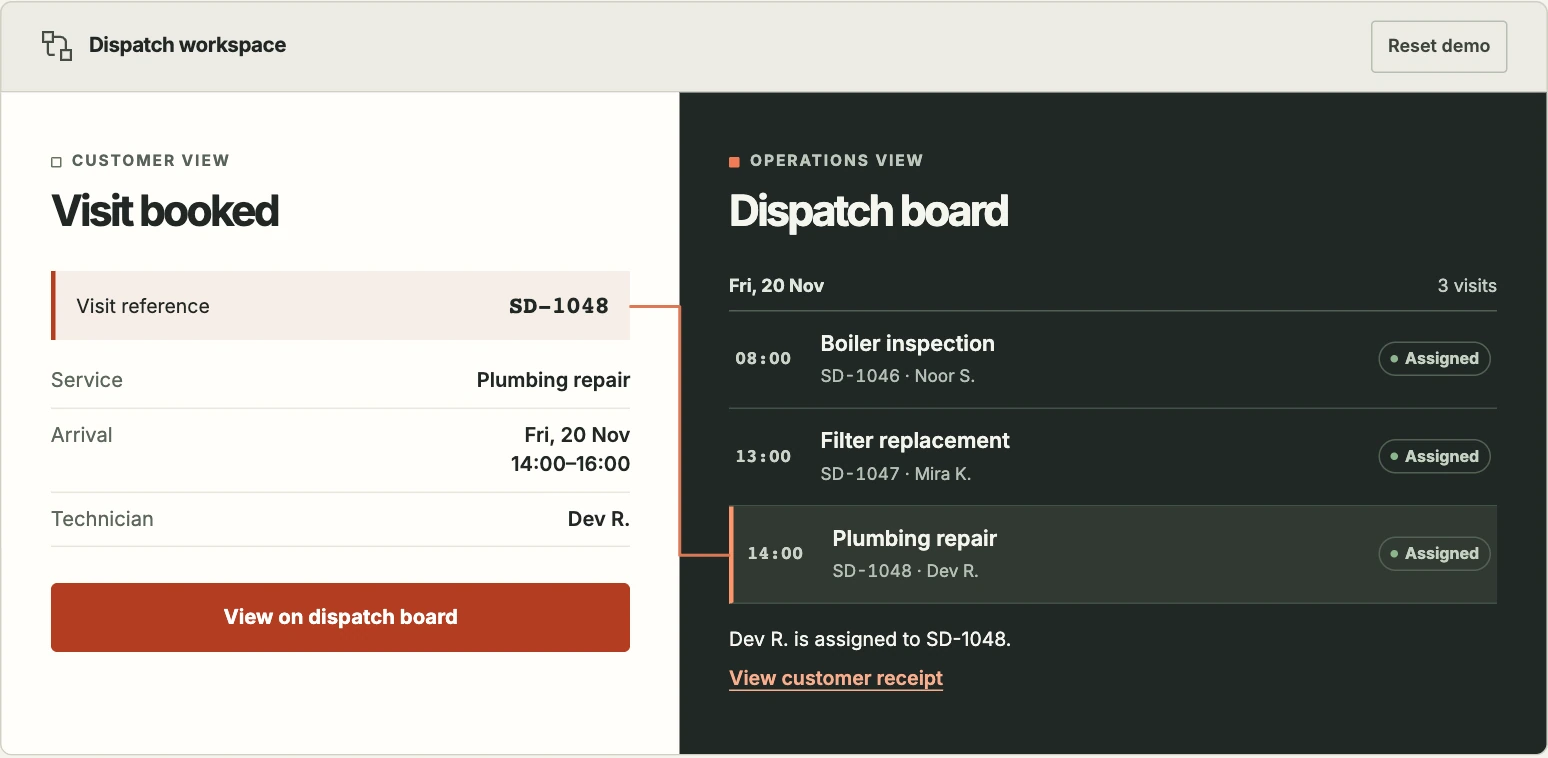
Check the same name on both sides.
After assignment, the board shows “Assigned” and the customer receipt shows Dev R. Both retain SD-1048. The check passes when the dispatcher’s choice reaches the original receipt without another booking.